
Wondering how to make your Facebook ads stand out against the millions of other brands on the platform?
Facebook may have over 2 billion daily users but attention spans are short and the competition is intense. Harnessing AI could be what you need to overhaul your ad strategy.
AI has the potential to speed up your creative process and boost your ROI. Let’s explore the best ways to use it for your Facebook ads.
Why Use AI for Facebook Ads?
According to a survey of advertisers, using AI technology could save you at least five hours a week.
AI can help by cutting out some tasks and refining others. You can leverage the technology to perform tasks like setting budgets, conducting research, and generating content.
On Facebook, you’re competing for attention with over three million advertisers, many chasing the same audience. While your toughest competitors are working on their campaigns, you need an edge to catch up or overtake them.
AI tools can help you produce high-quality and engaging content that stands out on the feed.
But you’re not just up against competitors. You need a continuous supply of content given how quickly Facebook algorithms and trends change. How else can you stay relevant?
How Facebook Already Uses AI
At this point, Facebook advertising has already integrated AI into its infrastructure. Understanding how this works can give you vital context for your advertising strategy.
The goal of Facebook’s AI algorithm is to match ads to users. Since both businesses and individuals are a significant portion of Meta’s audience, it wants to keep both happy.
It uses the algorithm to ensure it doesn’t bombard users with irrelevant ads or blow your marketing budget on disinterested parties.
Here’s a quick look at the process:
- Facebook asks you to pick your desired audience, business objectives, and bid amount
- You provide any existing market and customer data
- You create the ad you want to appear on Facebook’s feed and upload it
- AI checks your content complies with Meta’s policies and assesses its quality
- Facebook filters out users that aren’t in your desired audience
- AI calculates the total value of your ad and compares it against others
- The ads with the highest value appear on specific users’ feeds
Facebook’s AI determines the value of ads based on three factors:
- Advertiser bid: The amount you’re willing to pay for Facebook to show your ad to users
- Estimated action rate: The likelihood that users will interact with your ad by clicking, liking, or making a purchase
- Ad quality: How relevant and engaging Facebook AI finds your ads based on factors like user feedback and content originality
As Facebook uses machine learning, it continuously refines this process. It can identify trends and patterns in the data which it uses to inform decisions about ad quality and estimated action rate.
All of this means that Facebook’s AI is automatically helping your ad campaigns launch faster and get the best results.
How to Make Facebook AI Work For You
Facebook publishes best practices to ensure the AI algorithm rates you highly. Here’s what the AI is looking for:
- Easy readability
- A positive user experience on the landing page
- Original and substantive content
- Truthful representations of the product or service
- Balanced volume of ads to page content
- No pop-ups or full-screen ads
Notice how these rules create a Catch-22? Advertisers must rely on AI tools to effectively manage their Facebook ad campaigns and achieve ROI.
But AI-generated content draws from existing sources and can be generic and unoriginal.
For example, here’s a sample output from ChatGPT:

Search for ‘haiku about a butterfly’ on Google and the top results are a little too close for comfort…

So, surely Facebook will penalize you if you rely on AI tools for generating ads?
The trick to escaping the Catch-22 is in how you use AI ads for Facebook. Let’s explore the best use cases and tools in detail below.
Knowing Your Audience
Combining human insight with AI capabilities can give you the most comprehensive analysis of your target market. The technology can process vast amounts of data to look for trends and patterns. You can use these insights to inform your marketing strategies.
Say you run an online store selling kitchenware. Facebook’s AI analysis of your posts might reveal higher levels of engagement with content about reusable coffee filters among students.
You realize from the news that there’s recently been a lot of environmental action at local universities and colleges so now you know to focus on this angle in future ads.
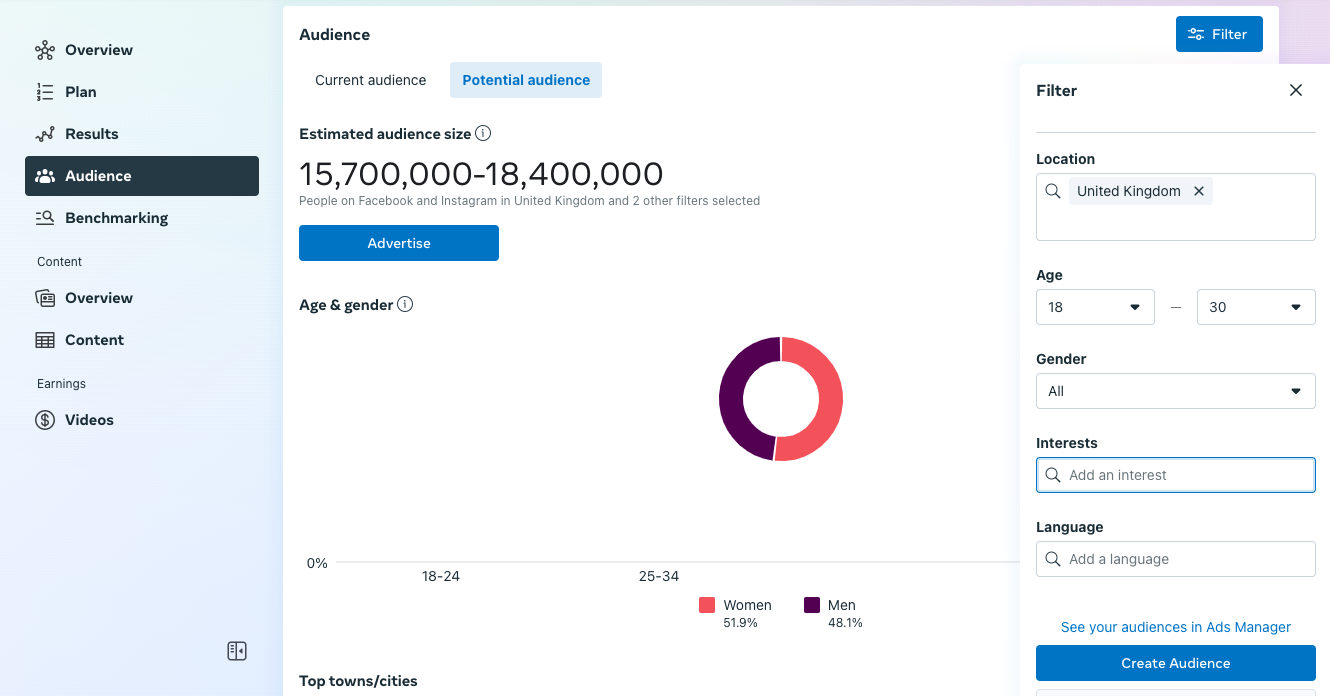
The free Facebook Insights tool compiles data from its users and your customers to give you insights like these. It segments your audience based on factors like age, location, and interests to tell you more about them. Once you’ve defined your target market, you can advertise directly to them from the platform.
Creating and Managing Ads
AI content generators can write ad copy, design creatives, and suggest the ideal formatting. All you have to do is input key information like:
- Target audience
- Campaign objectives
- Ad format (e.g. image, carousel…)
- Product or service details
- Visual assets
As AI can instantly produce content, you can request multiple variants of the same design. Then you can test each variant and choose the one that performs the best.
Facebook doesn’t include tools to generate content. It only allows you to decide whether to automatically or manually place the ads. You must rely on third-party tools to create the media before uploading it to the platform.
Basic prompt tools are good for quick inspiration. For example, you can ask ChatGPT to suggest ad copy based on the context you give.
However, specialized marketing tools like Adcreative.ai and AI Social Content Generator guarantee more quality. They’re designed to optimize content for marketing purposes and create high-converting ads. You’re more likely to get things right on the first try rather than ending up in an argument with a bot.
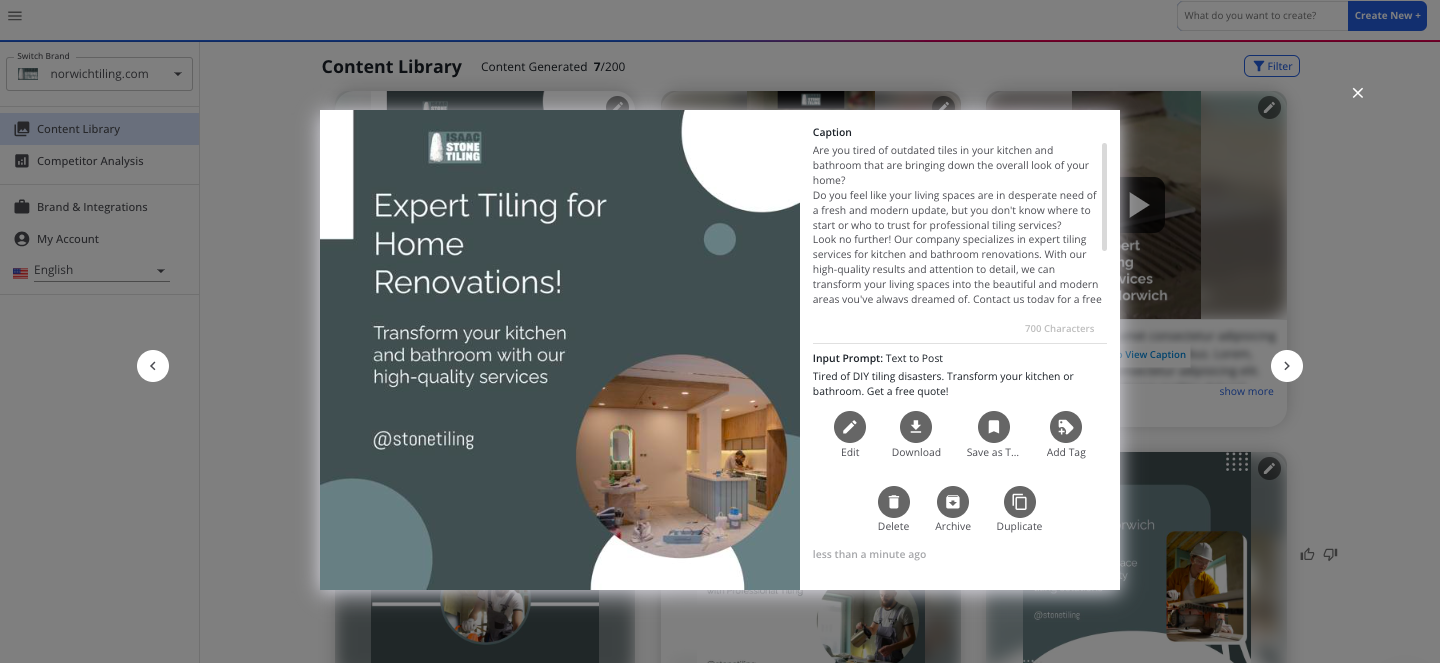
These tools also offer more functionality than a basic AI chatbot. You can generate different types of media, access advanced editing features, and integrate with leading marketing platforms. AI Social Content Generator, for example, gives you fine control by letting you generate content layer by layer.
Personalizing Content
Now that AI has become the norm, the majority of consumers expect a personalized experience. They’re also more likely to get frustrated by generic and irrelevant experiences with brands.
Facebook Dynamic Ads lets you cater more easily to individuals by targeting specific groups. You decide who sees what by categorizing users based on their behavior, interests, and past interactions. A basic example is how you might only display a first-time offer to people who’ve never bought from your business before.
Ensuring Quality and Relevance
AI can go beyond just creating content to making sure that your ads will resonate with your target audience.
To show your audience the most relevant ads, Facebook’s Ad Manager lets you upload multiple versions of an ad and test them on different users. The AI then measures their performance over time and you can choose the best one for your final campaign.
That means you can still find the most effective strategy even when the data is pushing you in a different direction.
There are a few variations on this strategy but a popular one is A/B testing. That’s when you only change subtle details like the header font or background color.
Optimizing Ad Budgets
It’s possible to create an amazing campaign but still lose money due to financial mismanagement. Businesses might set bids too high or spend too much on low-performing sets.
AI ensures you allocate your budget where it’s likely to drive results. Facebook’s Meta Advantage tool analyzes historical data and predicts future performance to decide where the money should go.
You just set a single budget for your campaign. If you want more control, you can choose to set a daily limit rather than one for the entire lifetime. Facebook then automatically manages the budget for you, saving you time and lowering your costs.
Tracking and Forecasting Performance
AI can help you measure the effectiveness of an ad campaign once it’s underway. It continuously analyzes data and provides real-time insights so you can make timely decisions. Depending on your performance, you can either quickly course correct or double down on a successful strategy.
Meta Pixel is the main AI and analytics tool on Facebook. It’s code you can add to your website that tracks visitor activity like product views and purchases. You get an insight into what’s popular and who’s most likely to convert.
How to Use AdCreative.ai to Generate Quick Facebook Ads
AdCreative.ai bases its output on data from billions of top-performing brands. With this app, you can instantly generate text and creatives that are aligned with current best practices.
Here’s the process for creating a Facebook ad:
Step 1. Set Up Your Account
Select AdCreative.ai in the Semrush App Center and sign up for a free 3-day trial.
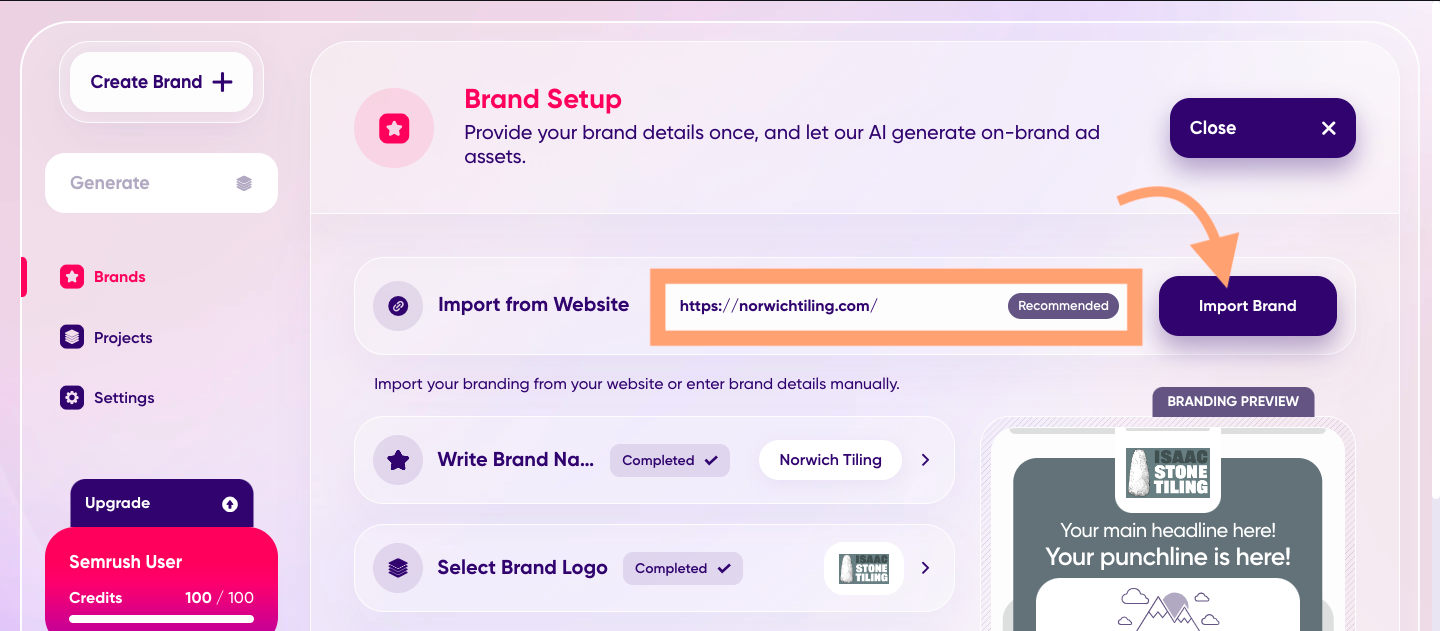
Once inside the main dashboard, type your website address into the top field and click ‘Import Brand’. AdCreative.ai will sync and collect data from the URL.
Step 2. Add Your Brand Details
Add your brand name, logo, and color scheme using the boxes below. You should begin to see a preview of an ad on the right.
When ready, click the purple ‘Create Brand’ at the bottom.

Step 3. Create a Project
AdCreative.ai will open a brand dashboard. You can choose from different marketing assets here.
Click on ‘Ad Creatives’ to start a new project.
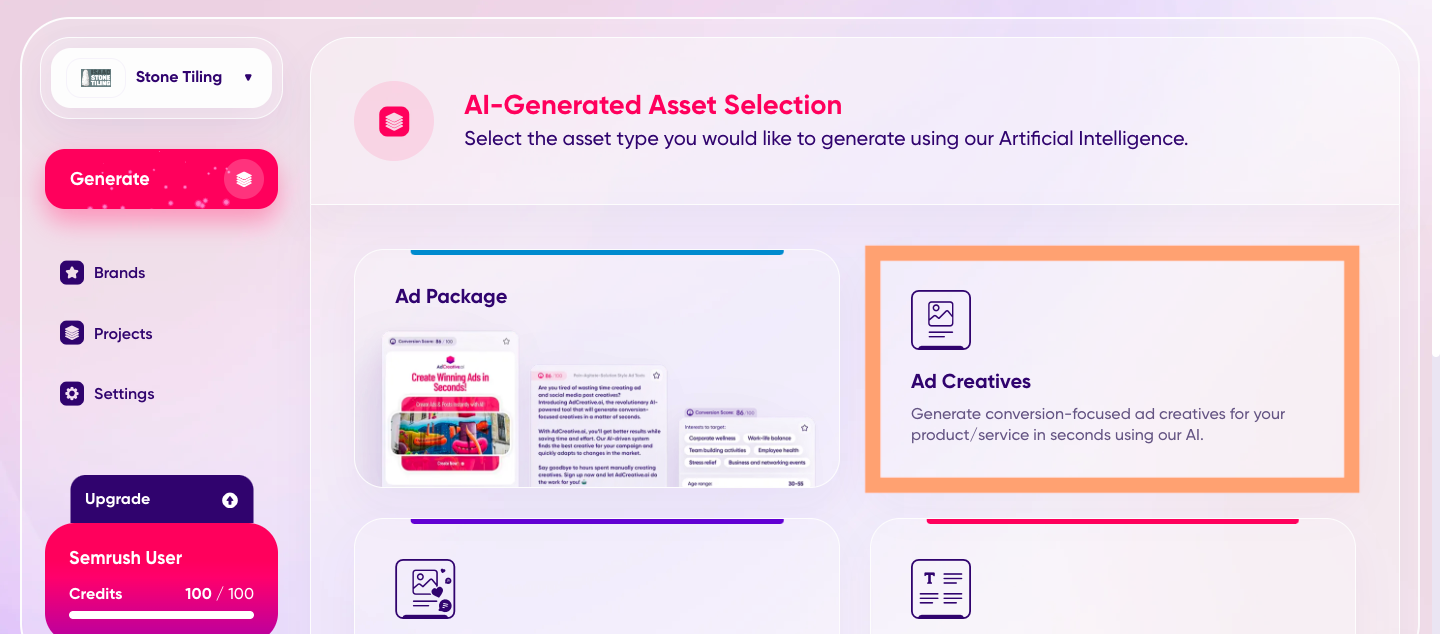
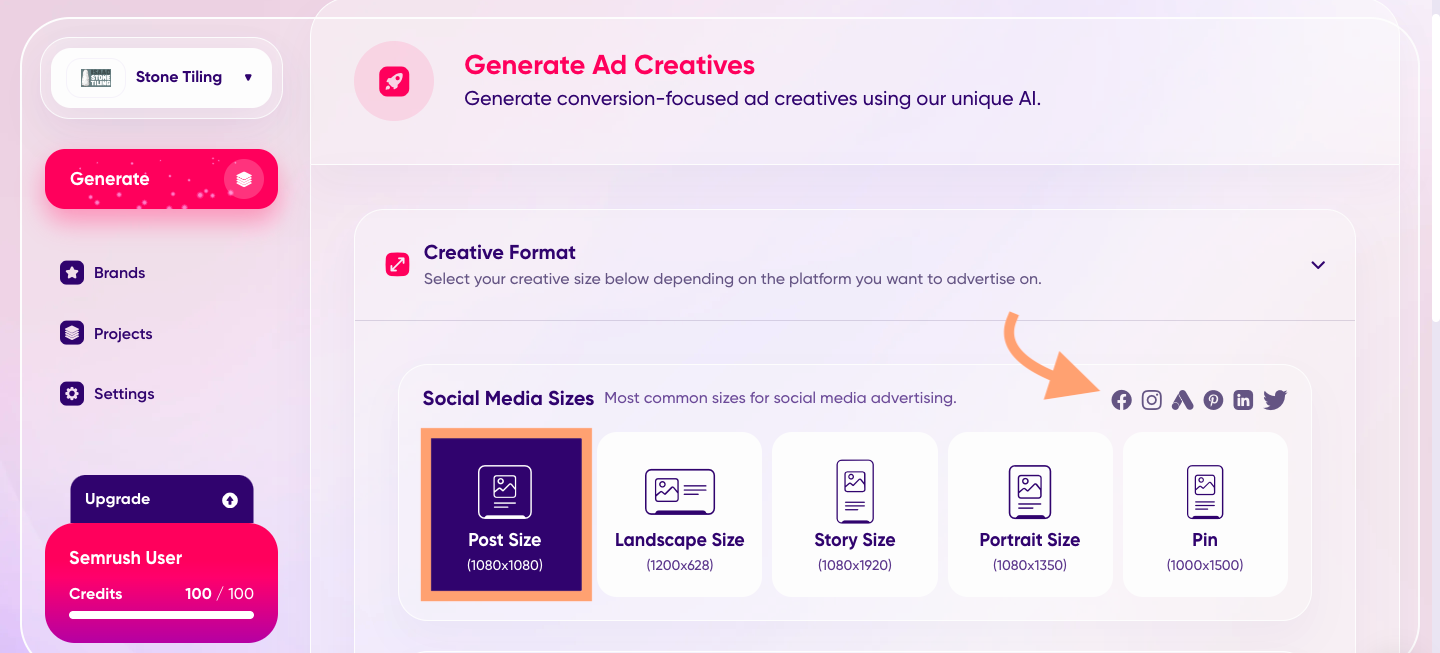
Step 4. Choose an Ad Format
Select a size from the dashboard. As you can see, they work across a range of social media platforms including Facebook.
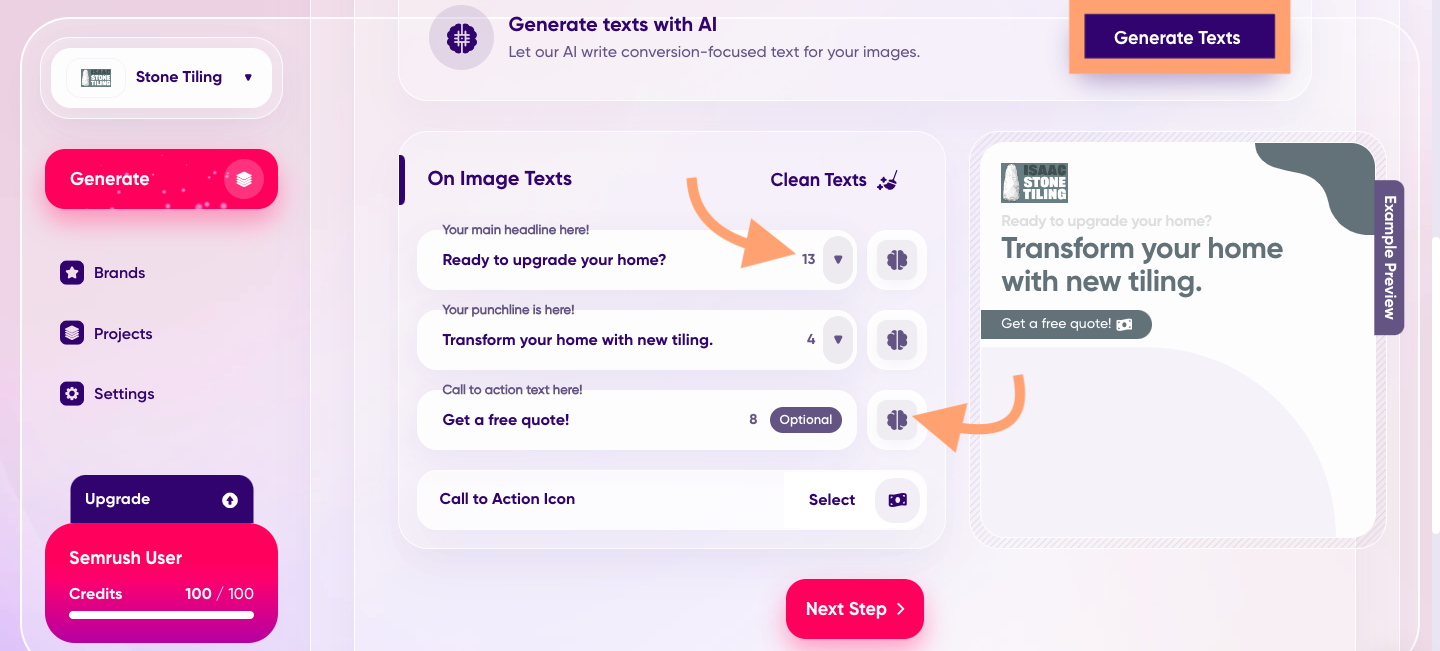
Step 5. Choose Ad Features
Choose text and images for your ad.
If you click on ‘Generate Texts’, AdCreative.ai will suggest ad copy for you. The numbers beside each box give you close alternatives.
You can click on the brain icon to change the sentiment or get more variants.
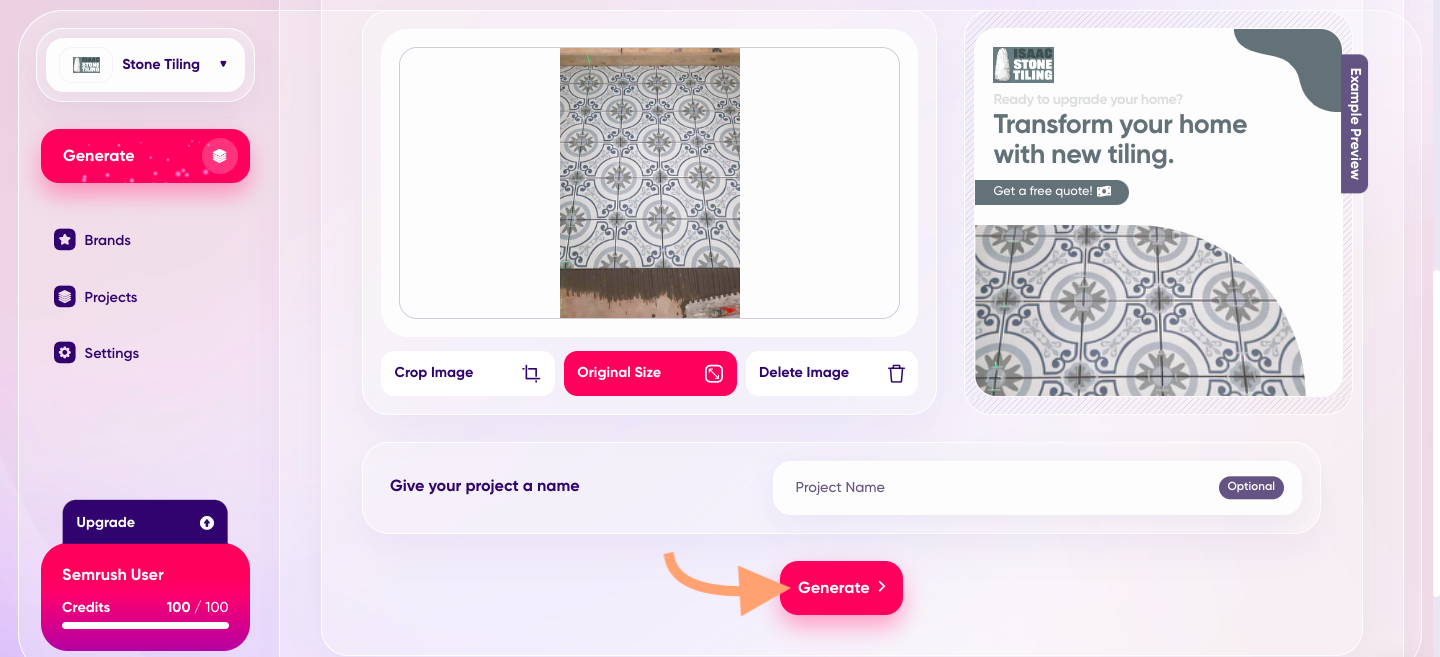
The image feature lets you search the stock image database or add your own pictures.
Step 6. Generate and Pick Ads
When you’re ready, scroll to the bottom of the page and click ‘Generate’.
From the info you provided, the app produces dozens of quality ads in seconds. Scroll through the options until you find the one you want. Or, pick multiple for your A/B test.
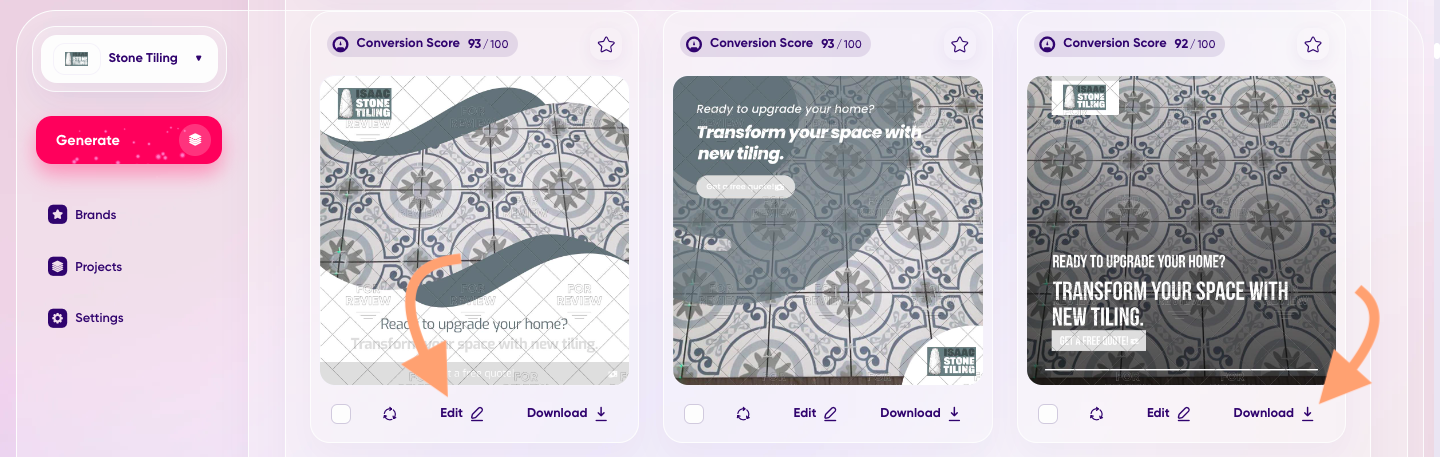
Click the ‘Edit’ icon to tweak the design and ‘Download’ when you’re satisfied you have a finished version.
Having second thoughts later? Come back and all the versions will still be waiting for you.
What’s Next For AI in Facebook Ads?
AI in Facebook advertising isn’t going anywhere. In a recent release, Meta said one of their key focuses in 2024 was extending the platform’s AI capabilities.
Meta’s main goal is to develop the world’s best recommendation technology by 2026. They’re currently working on a new model that draws from larger data sets than we’ve seen before. This advanced version of recommendations will also encompass more areas of the platform including the feed and videos.
If you’ve got an ad account on Facebook, that means your reach could extend further than ever before.
Outside of Facebook, you can find an ever-increasing number of AI marketing apps to help you manage ad campaigns.